
The gateway to be registered on ttn network (gateway registration on TTN).
The hummbox devices to be registered on TTN network (device registration on TTN)
Manage a new boolean field named "trigger" on device payload
Go to application-->payload format menu:
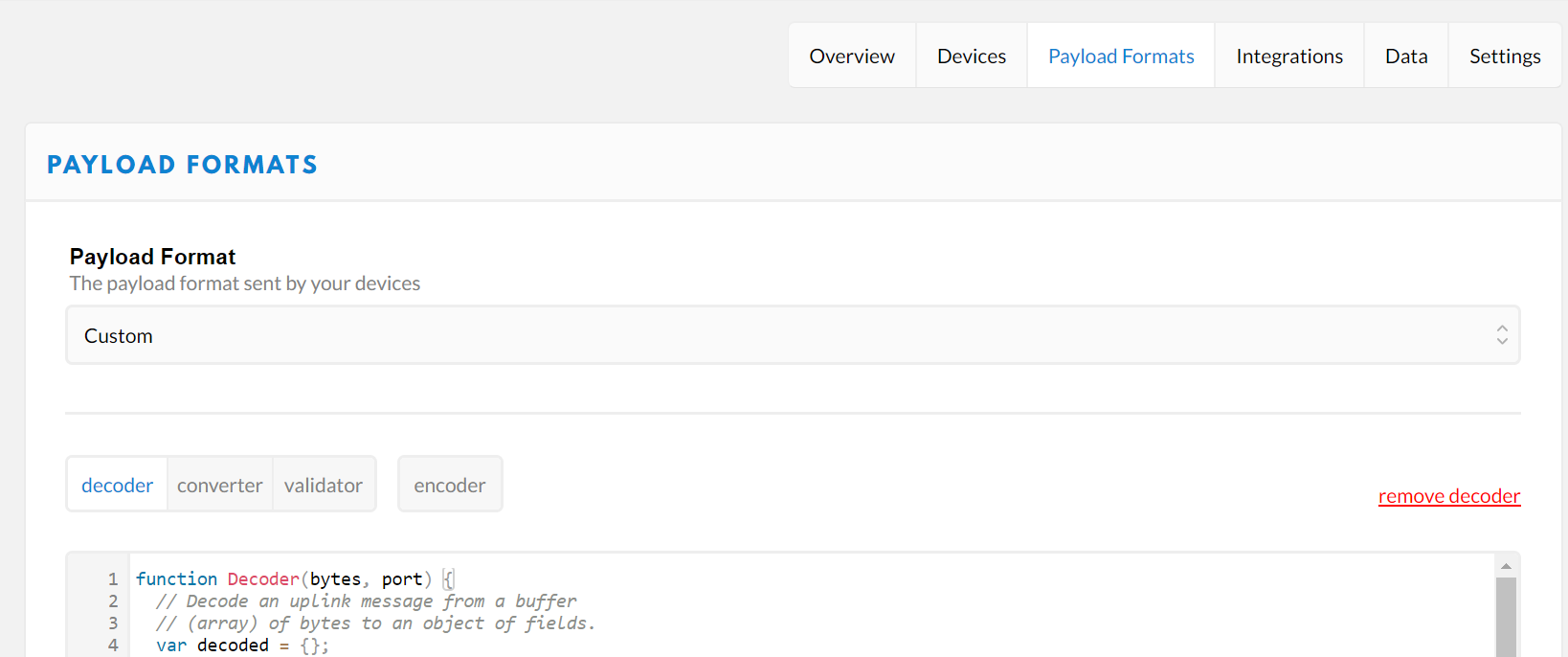
Create the trigger field based on the alert check parameters:
function Decoder(bytes, port) {
 // Decode an uplink message from a buffer
 // (array) of bytes to an object of fields.
 var decoded = {};
 var msgLength = bytes.length;
 var rawMessage = '';
 var co2 = (bytes[7]<<8) | bytes[8];
 var trigger = false;
 if(co2>1000) trigger = true;
 for(var i = 0; i<msgLength; i++){
 rawMessage = rawMessage + ("0" + bytes[i].toString(16)).slice(-2);
 }

decoded.payload_hex = rawMessage;

return {
 decoded: decoded,
 co2: co2,
 trigger: trigger
 }
}
Catch the MQTT message flow from a nodejs client:
Open the nodejs console and browse to the target directory. then type:
'npm init' to initialize the nodejs project
'npm install twit – -save' to install the tweeter library dependancies
'npm install ttn– -save' to install the ttn library dependancies
After setting up the dependencies. Now, we will go to dev.twitter.com to generate:
1. consumer_key
2. consumer_secret
3. access_token
4. access_token_secret
These keys and tokens are secret keys and access tokens which give access to use theTwitter API .
-
Go to dev.twitter.com
-
Apply for a tweeter dev acount
- Create your Twitter application
-
Go to the keys and access token, find your keys there
-
create a config.js file with these keys
config.js
module.exports = {
 consumer_key: 'QvmKfFtQQpL2NNFbIlXktQzhG ',
 consumer_secret: 'hrvxHQqZsWatw8TR6ae3Ds2N0Y1qkeHoCNbGoAP7wOYNdCOvZ5 ',
 access_token: '1052128832688463872-LQ53ckXNX9uolKCLYLynrZwdxgeqSM',
 access_token_secret: 'fSRMOOtS6fQm0Gptdo0Tp3apT8EgoGavWnvexO0YTJ42g '
}
Finally create the file mqtt2tweeter.js with the following code:
var ttn = require("ttn")
var Twit = require('twit');
var config = require('./config')

var appID = "your ttn application id";
var accessKey = "your ttn application access key";

ttn.data(appID, accessKey)
 .then(function (client) {
 client.on("uplink", function (devID, payload) {
 console.log("Received uplink from ", devID)
 console.log(payload)
 if (payload.payload_fields.trigger === true) {
 var T = new Twit(config);
 var tweet = {status: 'Please open the window Co2 concentration is too high!!' } // this is the tweet message
 T.post('statuses/update', tweet, tweeted); // this is how we actually post a tweet ,again takes three params 'statuses/update' , tweet message and a call back function
 }
 })
 })
 .catch(function (error) {
 console.error("Error", error)
 process.exit(1)
 })

function tweeted(err, data, response) {
if(err){
console.log("Something went wrong!");
}
else{
console.log("Voila It worked!");
}
} // this is the call back function which does something if the post was successful or unsuccessful.
Comments
0 comments
Please sign in to leave a comment.